Infinite Studio team have implemented a plethora of updates in preparation for the 3.8.0 release.
Engine Upgrade
With the next release of Infinite Studio, the engine will be upgraded to Unreal Engine 4.24. This update includes some exciting improvements to Ray Tracing which will further enhance our particle systems.
For a full breakdown of what that engine upgrade includes, please see the Unreal Engine website.
MODTRAN Upgrade
Infinite Studio now supports MODTRAN version 6.0.2. We also included some code refactoring to reduce memory usage when generating atmospheres.
Camera Refactor
We’ve identified a number of improvements to be made on our existing camera model, which have now been implemented as part of our camera refactor. This led to us researching to better understand the processing of a digital camera and come up with an alternate model. We wanted to ensure a flexible approach to the model where different noise types can be easily inserted into the pipeline.
The below diagram show the processing steps of the model. Each block is configurable, allowing the user to define parameters such as:
Radiance To Photons
Shutter Speed
Aperture
Pixel Pitch
Digital Level
ADC Gain (e-/ADU)
Offset (e-)
ADC Bits
Photons to Electrons:
Quantum efficiency (mean + stdev, or supply your own map)
Well Capacity
Dark Current (e-/sec)
Read Noise (e-)
Processing steps of our new camera model
Wake Development
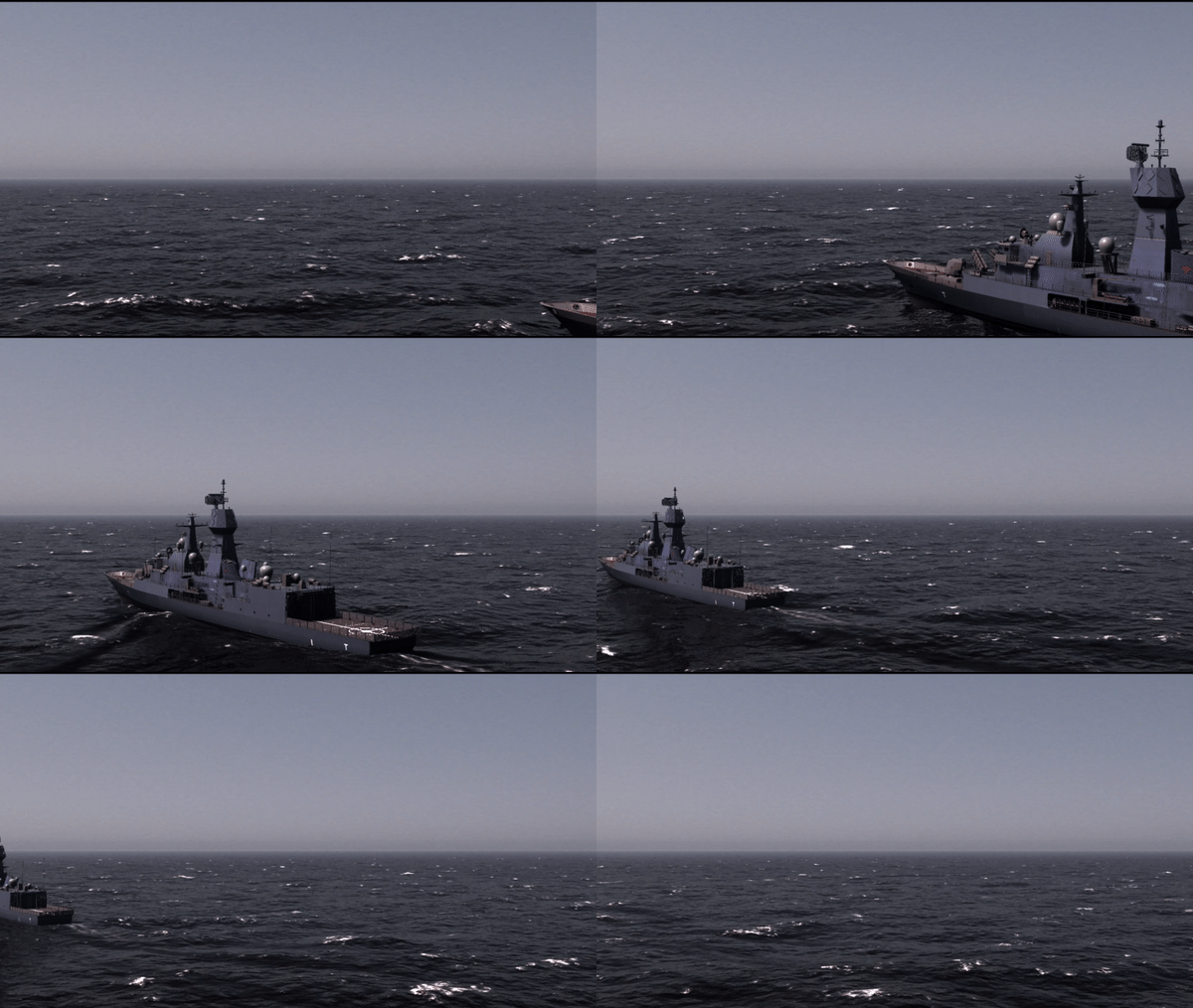
We have now implemented low fidelity, high performance wakes within Infinite Studio. The wake patterns implemented are Turbulent and Kelvin and below are multiple screenshots demonstrating their implementation.
For the Kelvin Wake system, the approach taken was to use a decal to paint normals onto the ocean surface, giving the appearance of waves. The Turbulent Wake system uses a ribbon particle system with a texture applied as this was found to be the least performance intensive method, whilst still looking realistic.
These four screenshots from Infinite Studio show various ships and submarines with high performance Turbulent wakes and Kelvin wakes applied.
Ocean Update – Code and Transparency
There have been multiple updates to our Infinite Ocean. We have improved the code and performance of the ocean grid, and also have converted the ocean Blueprint to a C++ class.
A compiled screenshot from Infinite Studio showing how to access the Infinite Ocean Actor from the Modes window, as well as its top level detail panel.
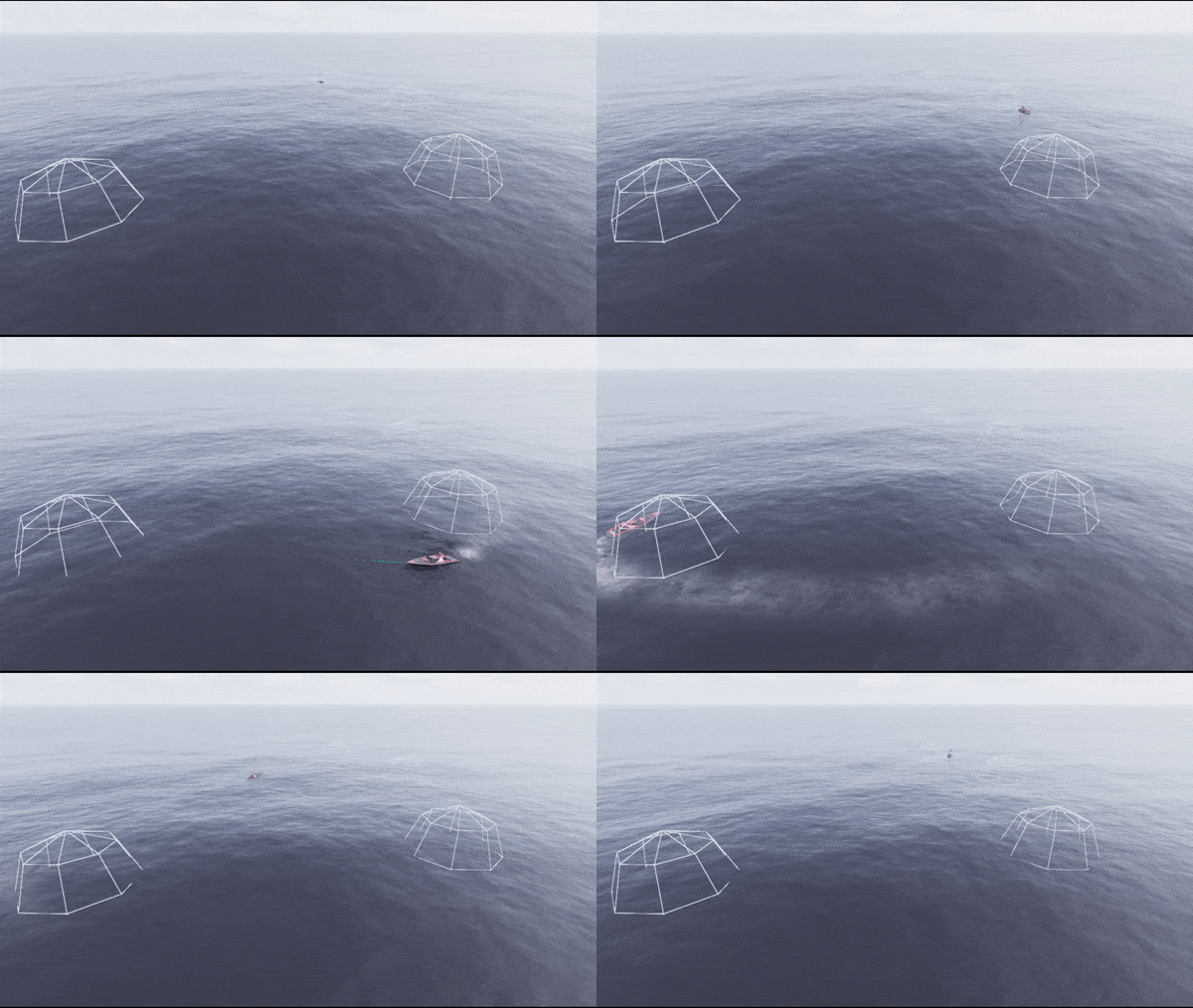
Additionally, work was completed to successfully implement a transparent ocean, and create realistic look silhouettes of submerged objects.
The above screenshots capture the silhouetting capability of the transparent ocean in Infinite Studio
Vehicle Changes
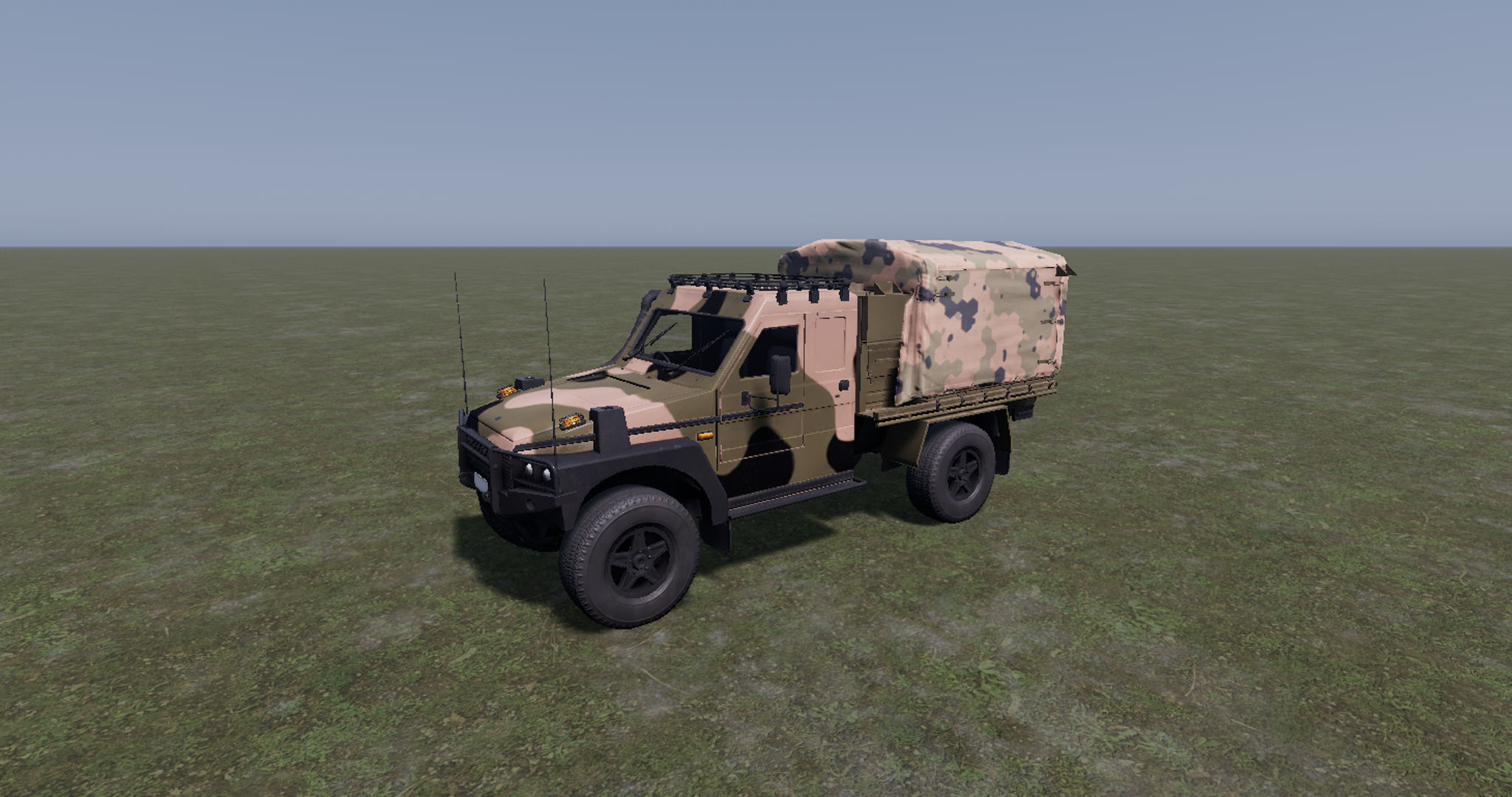
A large update is coming soon with our vehicle system which aims to improve how the vehicles work in a High Tick multi-player networking environment.
Each component of the drive train is being reconfigured into an individual asset to allow for higher customisation of vehicles. This will allow the user for example, to add an Engine asset to their blueprint and simply edit the inputs to match the specifications of the vehicle being modelled.
There will also be an option integrated to allow for an Automatic transmission if driving a Manual transmission vehicle is not for you!
Infinite Studio has multiple custom nodes that have been programmed to allow the integration of spectral material parameters, including emissivity and reflectivity, into Unreal Engine’s physically based rendering material system
Users can create materials by supplying measured spectral diffuse and specular reflectivity, emissivity, and transmission data, or by defining a spectral directional-hemispherical reflectance curve.
In addition, Infinite Studio provides acess to spectral material databases such as NASA JPL’s ECOsystem Spaceborne Thermal Radiometer Experiment on Space Station (ECOSTRESS) Spectral Library, and the Advanced Spaceborne Thermal Emission Reflection Radiometer (ASTER) Spectral Library
Example reflectance curve of a Concrete material
Example of the Concrete material applied to an object
Infinite Studio currently supports MODTRAN for verified high-fidelity atmospheric calculations
The following data is imported from MODTRAN and processed to in-band values:
- Atmospheric transmission based on absorption and scatter
- Thermal radiance
- Solar and lunar irradiance for applying sun and moon directional light source intensities
- Ambient sky lighting (global illumination)
Fully Volumetric Cloud modelling using MODTRAN to obtain transmission and path radiance values across cloud density
Clouds are compatible with all lighting and transmissive effects, including shadows on the ground and cloud reflections.
Highly customisable with options for weather effects, noise maps, coverage levels, altitude, wind speed, and many more parameters
Ability to add individual cloud volumes and control placement, as well as an overall bulk layer property
Ability to pre-calculate higher fidelity surface temperatures for static background objects
In-band thermal emissions are evaluated by spectral integration
Grey body and selective radiators are implemented using spectral emissivity data
Custom spectral emission curves can be imported for non-blackbody emitters
Photons to Electrons conversion: Quantum Efficiency, Full Well Capacity
Electrons to Counts: ADC Gain & Offset, ADC Bit Depth
Visible
MWIR
LWIR
NIR
At each stage of rendering, applicable noise sources are simulated and can be customised:
Dark Shot Noise: Dark current flows even when no photons are incident on the camera
Read Noise: Electronic Signal Noise resulting from sensor design
Photon Shot Noise: Statistical noise associated with the arrival of photons at the pixels
Fixed Pattern Noise: Caused by spatial non-uniformities of the pixels
Visible
MWIR
LWIR
NIR
Aliasing occurs when the rasterization process during rendering of a scene does not apply enough samples to a target resulting in scintillation artefacts
Long range targets subtending few pixels could wildly vary in intensity as sample points hit and miss the target all together
Zoom anti-aliasing is effectively rendering a part of the sensor image, a window, at a much higher resolution and averaging the image down to the original resolution, resulting in a more accurate distribution of energy
The advantage of this approach is that anti-aliasing can be adaptively applied to parts of the scene where it is needed optimizing performance by not applying it where it is not
Available in C++, Python, and Java, the External Control API supports full control of the simulation, via TCP/IP, including commands to::
Simulation Control (Begin, End, Propagate)
Querying available assets by path, or type
Open and Load levels
Spawn, move & destroy actor assets
Camera and sensor setting modification
Environmental control (atmosphere, wind, clouds & ocean) and
Custom message types
Infinite Studio provides multiple example scripts, demonstrating the most commonly used features.
Trajectory: Trajectory Spline Actor provides actor scripted 6-DOF motion via time referenced dynamic state data.
Recording Tools: Record actor and sensor image data, for single or multi-runs, useful for post run analysis in third-party tools.
Waypoints: An experimental waypoint capability has been added for air, land & maritime platforms and includes infantry soldiers. Waypoints can be imported from CSV files, manually entered or added at runtime. Users can specify many options covering waypoint actions, including initial speed, speed between points, and end of course behaviour.
Target Labelling: Rendering of scenes with target pixel (stencil) labelling for training of neural networks, machine learning or data analytics tasks
Loop Controller: Orbits a camera about a given target at varying ranges writing captured image data to file. Customisable loop control for changing additional scene features; such as the environment (atmosphere, time of day, sea sate, etc.)
Emissions: Based on Planck’s blackbody radiation equation for a specified ocean temperature
Reflections: Reflectance varies directionally according to the Fresnel Law of reflection
Transmittance: Optional transparent material applies translucent fogging to submerged objects based on depth/view angle
Fully customisable FFT based wave spectrum model of time-varying ocean height fields
Wave height and chop driven by real world parameters, e.g:
Wind speed and direction
Ocean depth
Fetch length
Additional user customisation possible, ranging from simple amplitude/property scaling through to complete user-generated wave spectrum
Buoyant Forces: Surface Platforms use a finite element solution to calculate buoyancy and wave motion. Forces are then consolidated to the object’s centre of buoyancy, and corresponding moments are generated to affect the platform’s motion
Energy Conservation/Momentum Collisions: Each element approximates the change in energy due to the collision between the object surface and the fluid element
Limitations: Currently the buoyancy model only imparts forces from the fluid to the object (the high fidelity wakes model generates coupled surface wave motion)
High Fidelity Wakes: An experimental high-fidelity volume displaced wake implementation
High Performance Wakes: A high performance turbulent (foam) and kelvin wake implementation, allowing hundreds of wakes rendered on screen for real-time solutions
As well as demo maps, Infinite Studio provides you with the toolset to create your own real world landscapes
Street Map Importer: New real word scenes have been developed, with buildings, roads, railways, vegetation as imported from OpenStreetMap and terrain height data from the Registry of Open Data on AWS Global Dataset. You can also create and import your own custom height sampler
Real World Maps: Urban, rural, forests, grasslands, deserts, mountains, littoral and open ocean scenes can be quickly and accurately generated using Infinite Studio
Infinite Studio can provide the tools to create and edit your own assets, in addition to a library of Unrestricted Assets.
3D model library of aircraft, ships, vehicles, weapons, people, infrastructure & nature assets pre-configured with multispectral materials
The Curved Earth Plugin implements a spherical Earth model based on the WGS84 reference ellipsoid and provides accurate projections for applications that require precise Earth curvature modelling.
Two modes of operation are supported:
OpenStreetMap mode – applies materials to land-use areas defined by OSM data.
Blue Marble mode – uses NASA’s Blue Marble satellite textures for surface rendering.
This approach ensures optimised performance and scalable rendering of the spherical Earth model across different zoom levels and viewing angles.
@report{2026_IS_Photonic_Cameras, author = {Hedger, J. P.}, title = {Scientific use of photonic cameras in Infinite Studio}, year = {2026}, organization = {Aurizn Solutions Pty. Ltd.}, url = {https://infinitestudio.software/wp-content/uploads/2026/06/Scientific_use_of_photonic_cameras.pdf}, doi = {10.67405/UIML8998} }